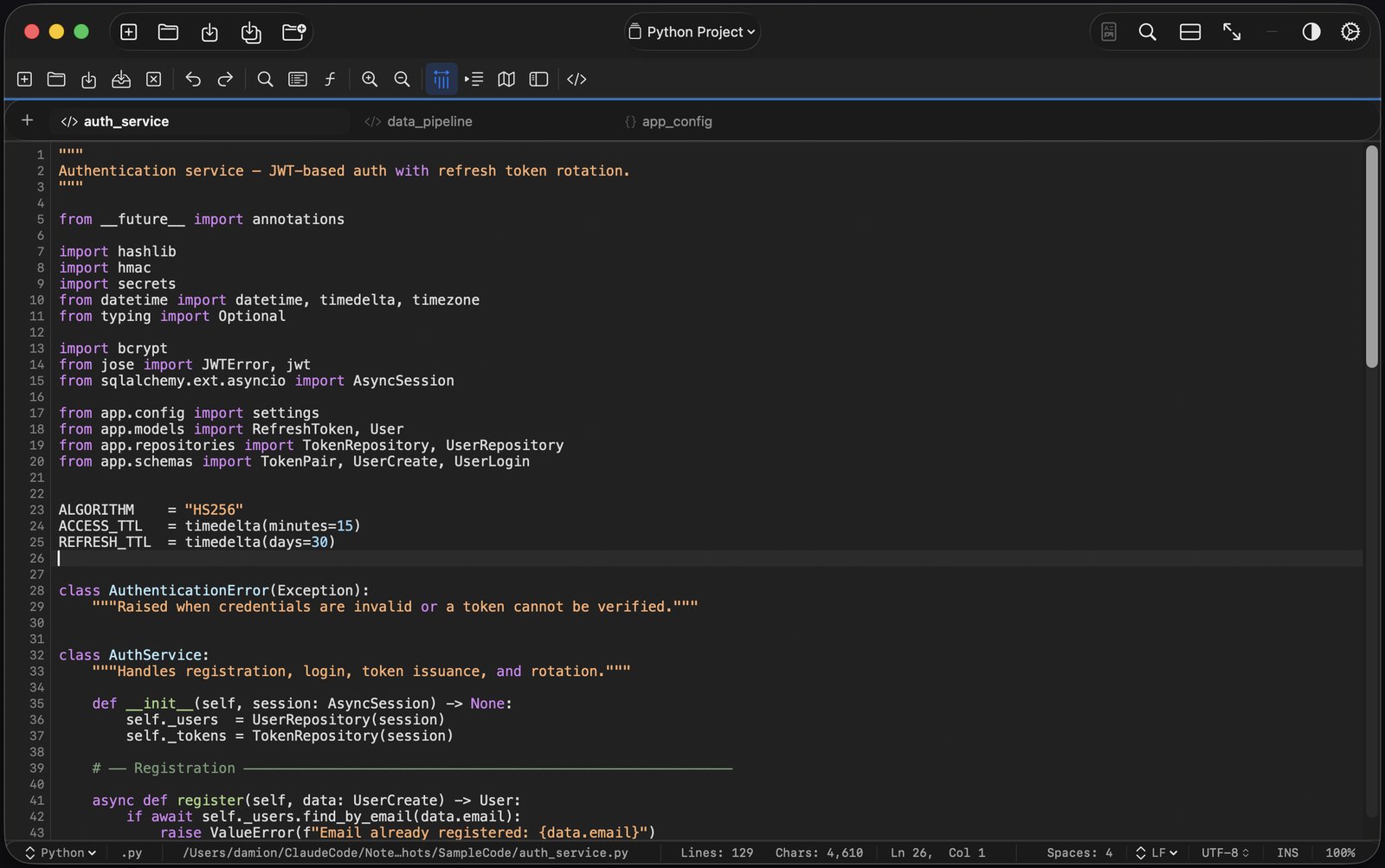
Looking for the best text editor for Mac?
Native, fast and private. $4.99 once, and your files never leave your Mac.
Open a file, start typing, and get syntax highlighting for 50+ languages,
tabs that remember your workspace, regex search across every open file,
and a built-in hex editor. No plugins, no account, no subscription.
Works fully offline.
Mac App Store, or download direct with a 14-day free trial · macOS 14 Sonoma or later · Apple silicon
Native and fast: built in Swift for Apple silicon
Syntax highlighting for 50+ languages, 12 themes and a theme builder
Tabs you can drag, pin and save as workspaces
Regex search across every open tab or a whole folder
Macros, snippets, clipboard history and column selection
Hex editor, Markdown preview, side-by-side diff and JSON viewer
Works fully offline: no account, no analytics
Optional auto-save and crash recovery
$4.99 once, no subscription. 14-day free trial with the direct download
Text editors for Mac: common questions
Does a Mac come with a text editor?
Yes. macOS includes TextEdit, which is fine for simple notes and rich text. For code, config files and logs, a dedicated editor like Tab.Noted adds syntax highlighting, regex search and project tools.
Is Tab.Noted a text editor or a code editor?
Both. It opens any plain-text file and adds syntax highlighting for 50+ languages, so it works as a quick text editor and a lightweight code editor.
Is Tab.Noted free?
The direct download comes with a 14-day free trial with every feature unlocked. After that, it's $4.99 once. It's also on the Mac App Store. No subscription and no account.
Does it work offline?
Yes. Editing never needs an internet connection, and Markdown preview never goes online. The direct-download version goes online only to check its license and look for updates.
Which Macs does it run on?
Macs with Apple silicon running macOS 14 Sonoma or later.
Are my files private?
Yes. Your files never leave your Mac. Tab.Noted has no account, no analytics and no telemetry.
What's the difference between the Mac App Store and direct versions?
Both cost $4.99 once. The direct version has a 14-day free trial, works on up to 2 Macs per license and updates itself. The Mac App Store version updates through the App Store and has no trial.
See everything Tab.Noted can do → · Switching from Windows? → · Code editor for Mac →